Main menu
On all pages in AvNav, you can access the main menu using the button.
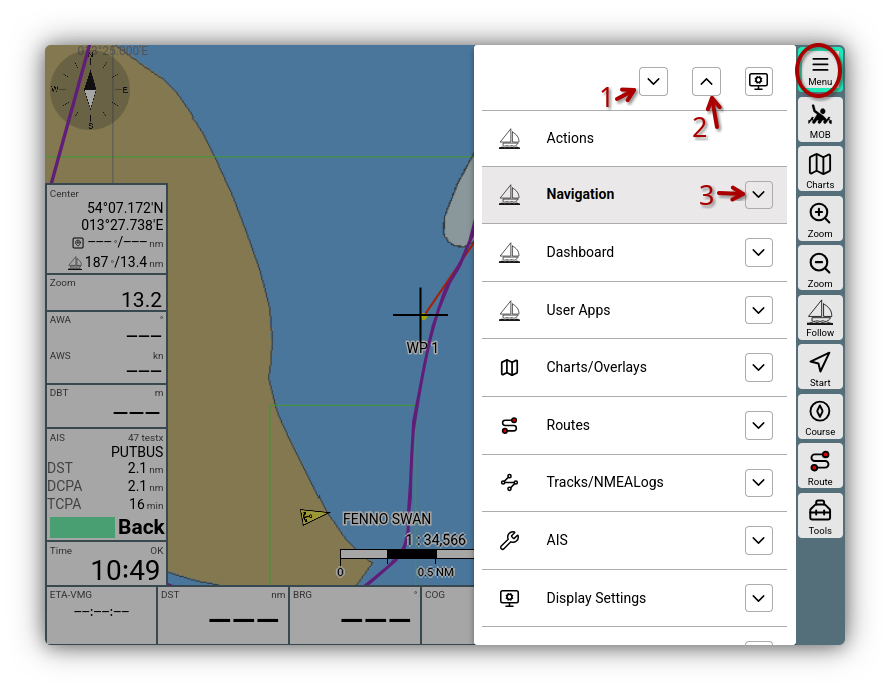
Main menu
Buttons
The main entries can be scrolled. You can trigger additional functions using the buttons marked in the image:
- (1) : Open the expanded view for all entries. It shows the most important buttons for the respective page for quick access.
- (2) : Close all expanded views.
- (3) : Open the expanded view for this page.
The button allows you to adjust the Display settings for the main menu.
Expanded view
After opening the expanded view, you get the most important buttons of the page along with a longer description text - just like it is displayed in a tooltip.
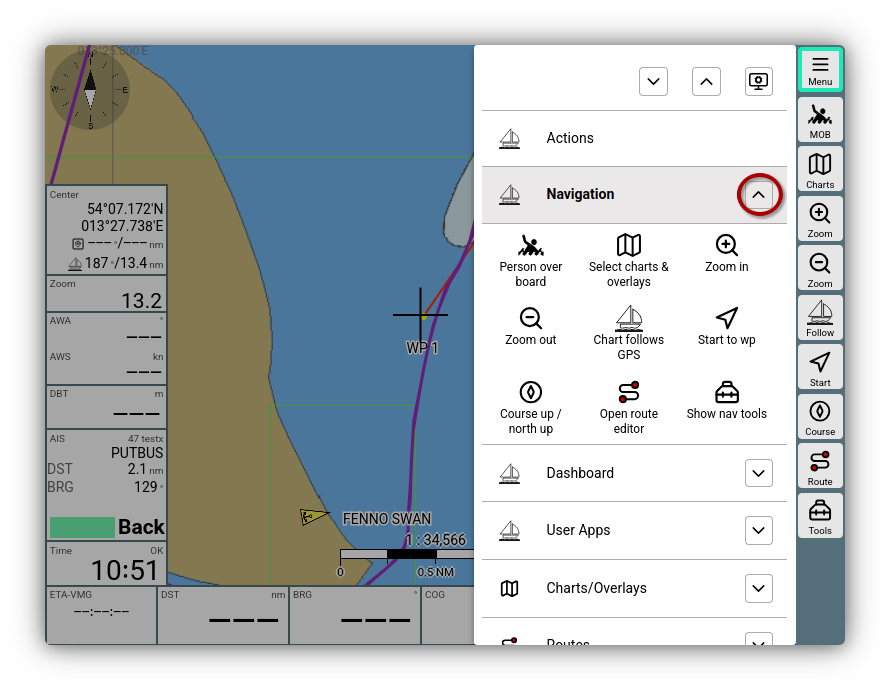
Main menu expanded view
By clicking on the respective button, the corresponding page is opened in AvNav and the button function is executed.
Entries
| Entry | Description |
|---|---|
| Opens the Action menu | |
| Opens the Navigation page | |
| Opens the Dashboard pages | |
| Opens the User app page | |
| Opens the Chart management | |
| Opens the Route management | |
| Opens the Management of tracks and NMEA logs | |
| Opens the AIS configuration and display | |
| Opens the Display settings | |
| Opens the Layout management (also starts the layout editor) | |
| Opens the Plugin management | |
| Opens the page for configuring User apps, for User CSS, for User JavaScript and the configuration of Keyboard shortcuts or Icons | |
| Opens the Management of (NMEA) connections | |
| Opens the Server management | |
| Opens the Management for remote control |