Tracks and NMEA logs
When AvNav is running, it constantly records the current track. This captures the current position, time, speed, and course.
Recording takes place on the server; it is independent of whether a display device is currently connected. On Android, recording also occurs when AvNav is running in the background.
The track data is written to GPX track files. A new file is created for each day.
In the Linux/Windows version, the data is first written in an internal format, which is then periodically converted into a GPX file.
On Android, the current GPX file is written directly at periodic intervals. To limit the amount of data, a new track point is only written if either a minimum distance or a minimum time from the previous track point has been reached - see Settings.
On the Navigation page, the current track is displayed with an adjustable length. In addition, other tracks can be displayed as Overlays on the map.
Furthermore, AvNav also enables the recording of received NMEA data - see NMEA logs.
Management and configuration
The management of tracks and NMEA logs can be accessed via
->
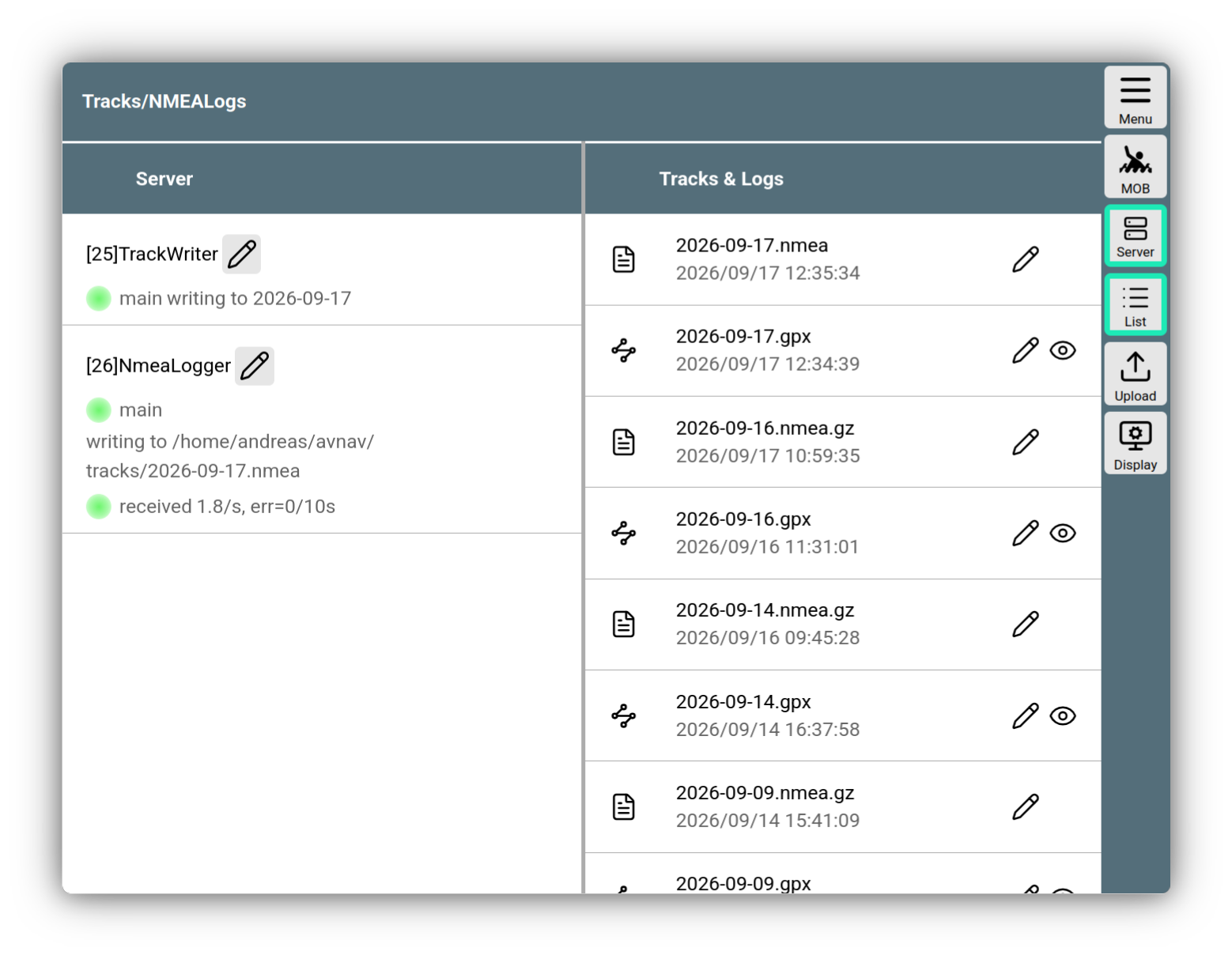
Tracks and NMEA logs
On the left side, you can set the server-side parameters for the track writer and the NMEA logger.
The parameters to be set are explained in the configuration description.
| System | Unit |
|---|---|
| Windows/Linux | Track Writer |
| Android | Track Writer |
| Windows/Linux | NMEA Logger |
| Android | NMEA Logger |
Via , you can set the parameters for the track display on the navigation page. This includes:
| Name | Description |
|---|---|
Point Dist(s) |
Distance between 2 track points. This must, of course, be at least as large as the corresponding parameter in the server settings - points closer together will not be recorded. |
Length(h) |
Length of the track to be displayed in hours |
NMEA logs
AvNav uses its NMEA logger to write all NMEA data it sees in the multiplexer into log files. Here too, by default, one log file is written per day. To limit the amount of data, filters can be defined in the Settings. To analyze problems, you will normally remove the filters so that all NMEA data is recorded. For normal operation, however, you should use filters, otherwise the data volumes can become quite large.
The log files can also be found
->
in the same directory as the track files. There, they can also be viewed, downloaded, or deleted.
Log files from past days are compressed using "gzip"; they are automatically unpacked when viewed.