Anchor watch
AvNav features an anchor watch. The function runs entirely on the AvNav server, or in the AvNav app on Android. Even if no display device is active or an Android AvNav is running in the background, the anchor watch remains active.
If the defined area is left, an anchor alarm is triggered.
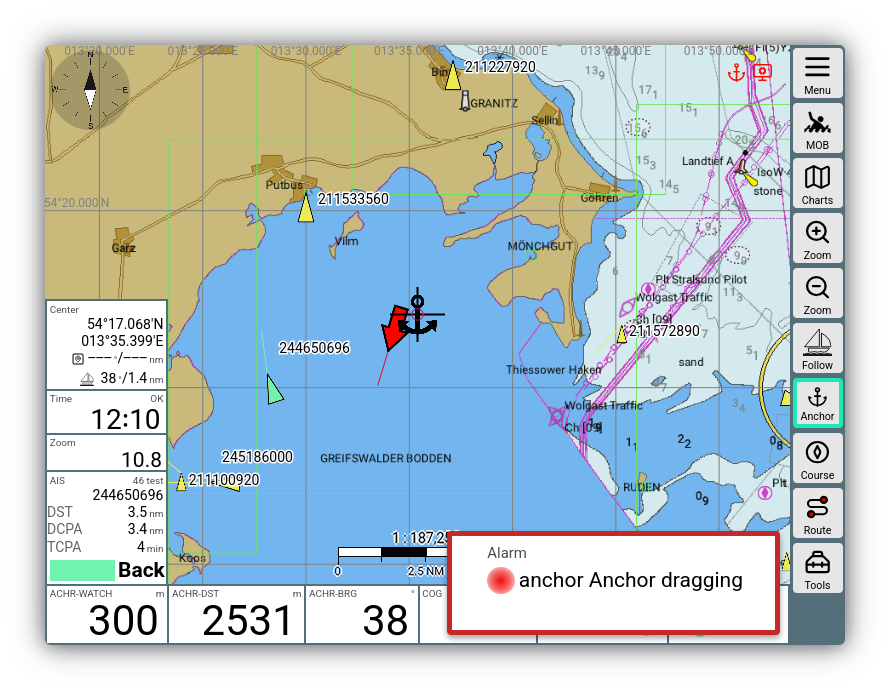
Anchor watch alarm
Android alarm
On Android, the alarm is displayed when a display device is connected or AvNav is running in the foreground. Additionally, an alarm sound is triggered (configurable). The alarm can be acknowledged via the display or by opening the AvNav notification.
Linux/Raspberry/Windows alarm
On a connected display device (browser), an acoustic alarm and an alarm widget are displayed. The alarm can also be acknowledged there.
As with all alarms, the command called upon an alarm can be customized on the server, for example, to play a sound. The AvNav images are configured so that the sound is available at the computer's audio output. This allows, for example, a speaker to be connected there to output the alarms.
Furthermore, a specific action (a command to be executed) can be defined in the AlarmHandler configuration. This can be used, for example, to control external hardware. The AvNav images also include a plugin to reset alarms using a GPIO pin.
Activation
On the navigation page, the anchor watch can be activated via
->
- on the dashboard pages by clicking the button.
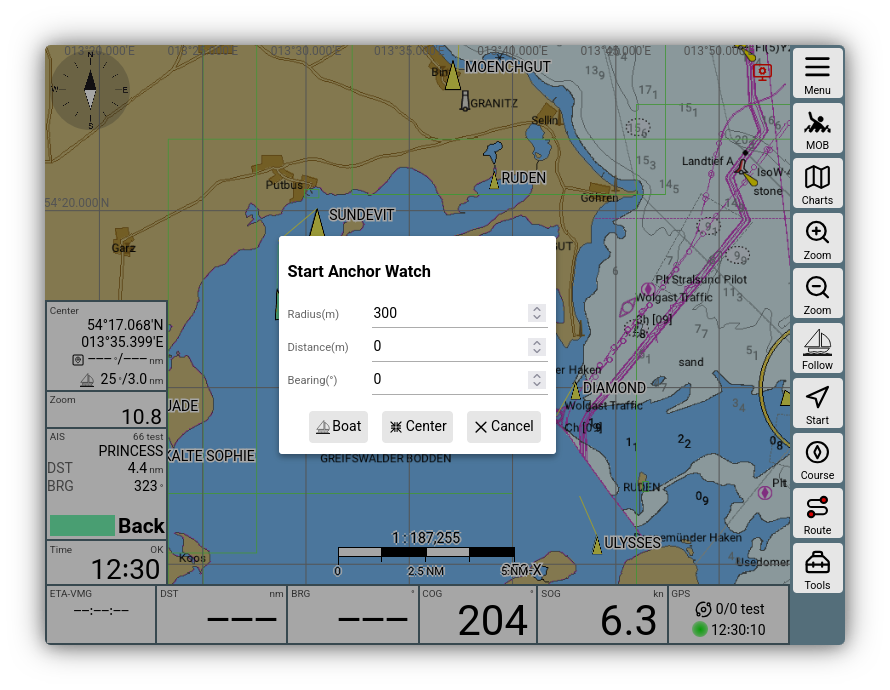
Start anchor watch
In the dialog, you can select whether to use the boat's position or the map center as the anchor position. Additionally, you can set the permitted distance to the anchor position (radius) and optionally an offset to the current position. This way, you can, for example, take the length of the anchor chain and the direction in which it lies into account.
After activation, the button gets a green border and monitoring starts. If the distance is exceeded, the alarm described above is triggered.
An alarm is also triggered if the GPS signal is lost while the anchor watch is active.
With the anchor watch active, the layout condition "anchor" becomes active, and some displays change their content.
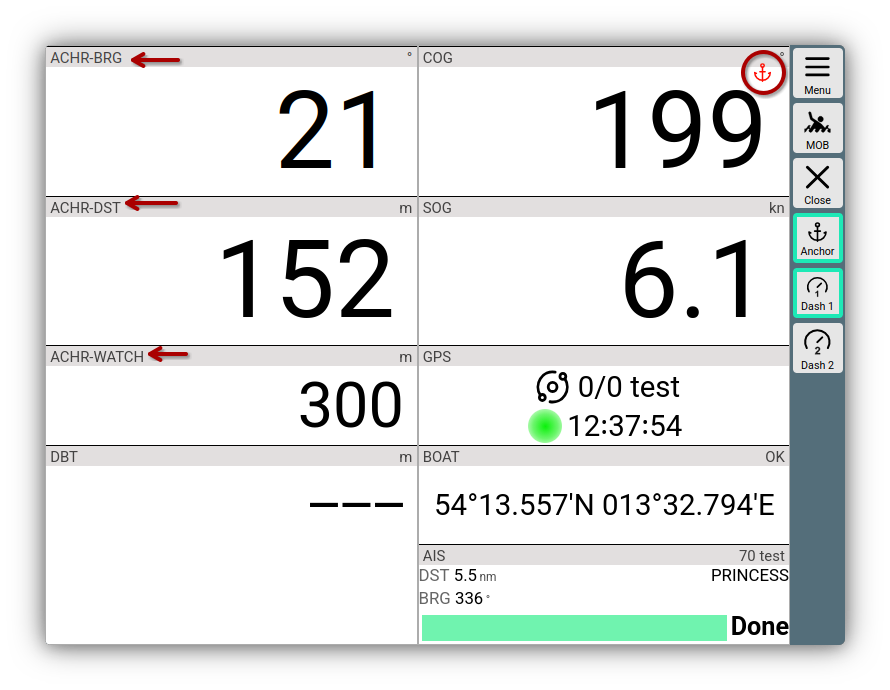
Anchor watch widgets
Editing/Stopping
When the anchor watch is active, a small red anchor icon is displayed on all pages. Clicking on it opens a dialog to edit or stop the anchor watch.
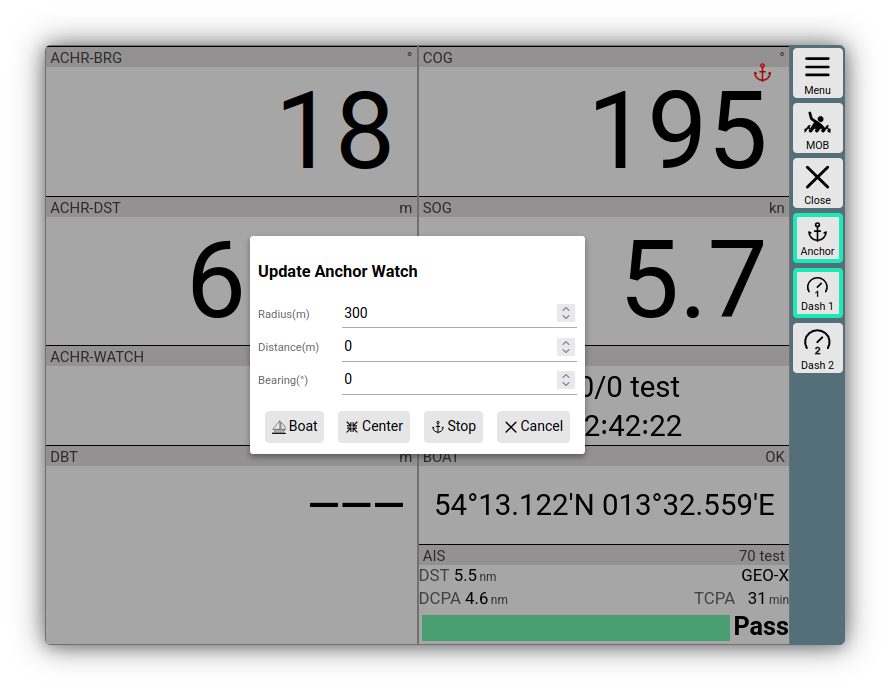
Anchor watch stop dialog
The anchor position can be modified with and .
The anchor watch continues unchanged with .